THE ACTUAL SCREEN
This is all of it
Nothing to memorise, no maze of settings
ExifSortPro
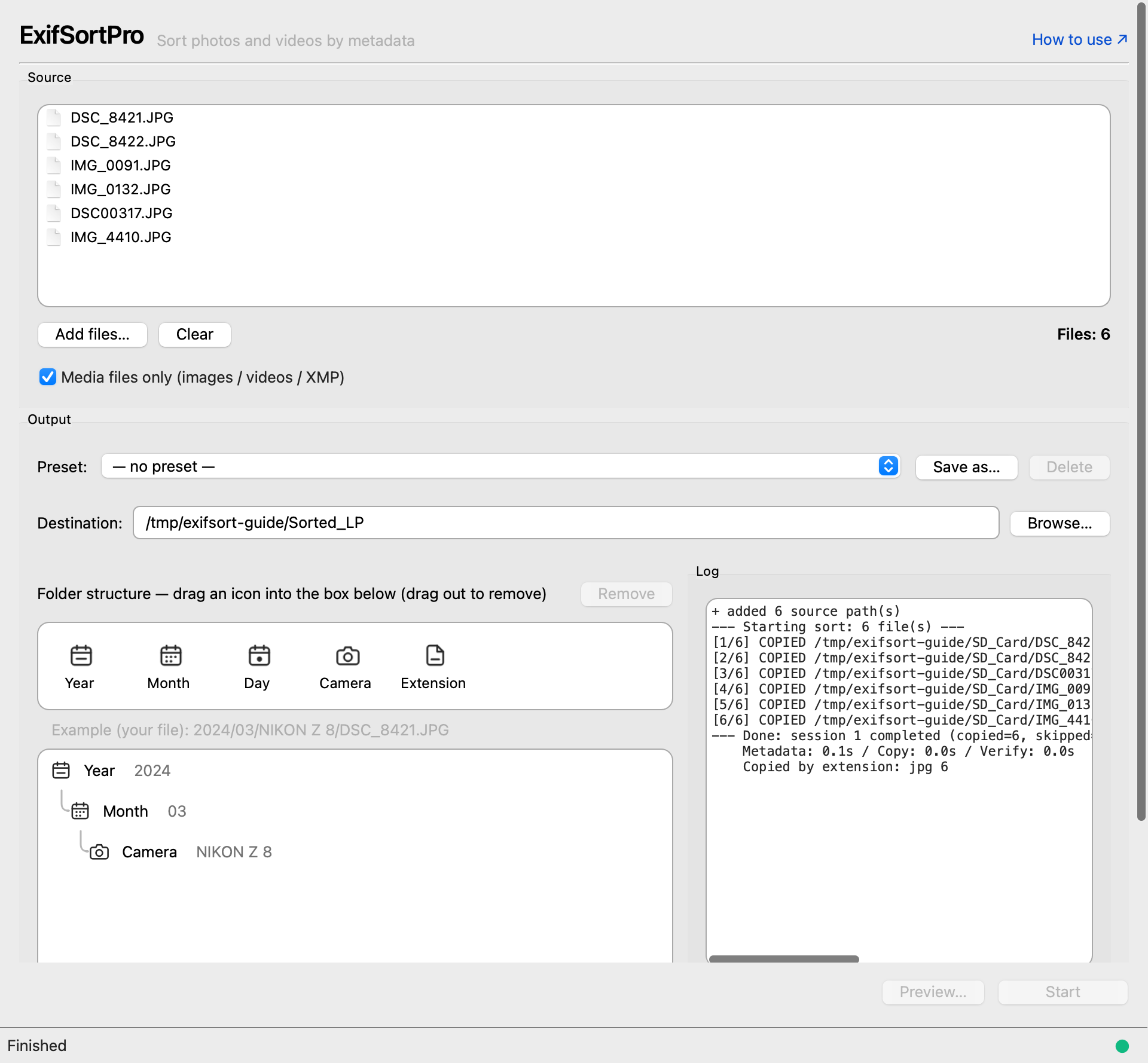
A Mac app that uses your capture metadata
to arrange scattered photos and videos like books on a shelf.
macOS 12 Monterey or later · Apple Silicon and Intel
Recruiting beta testers
For anyone drowning in photo folders — 5–10 spots · full app, free · invite only
SOUND FAMILIAR?
If any of these ring true, this is probably for you.
Move the card to the same place again and the name collides, so it branches. Which one is current, and what is inside it, is anyone's guess until you open it.
The main camera, the phone and the GoPro all landed in the same folder. Splitting them by device afterwards means checking frames one at a time.
You sit down to edit and one half is in another folder. Same frame, and the work starts with a search.
Get it wrong once and there is no way back. So you either do it by hand, or you leave it.
Nothing to memorise, no maze of settings
No technical skills required
Drag & drop folders from anywhere on your Mac, or use the picker. External SSDs and SD cards work too.
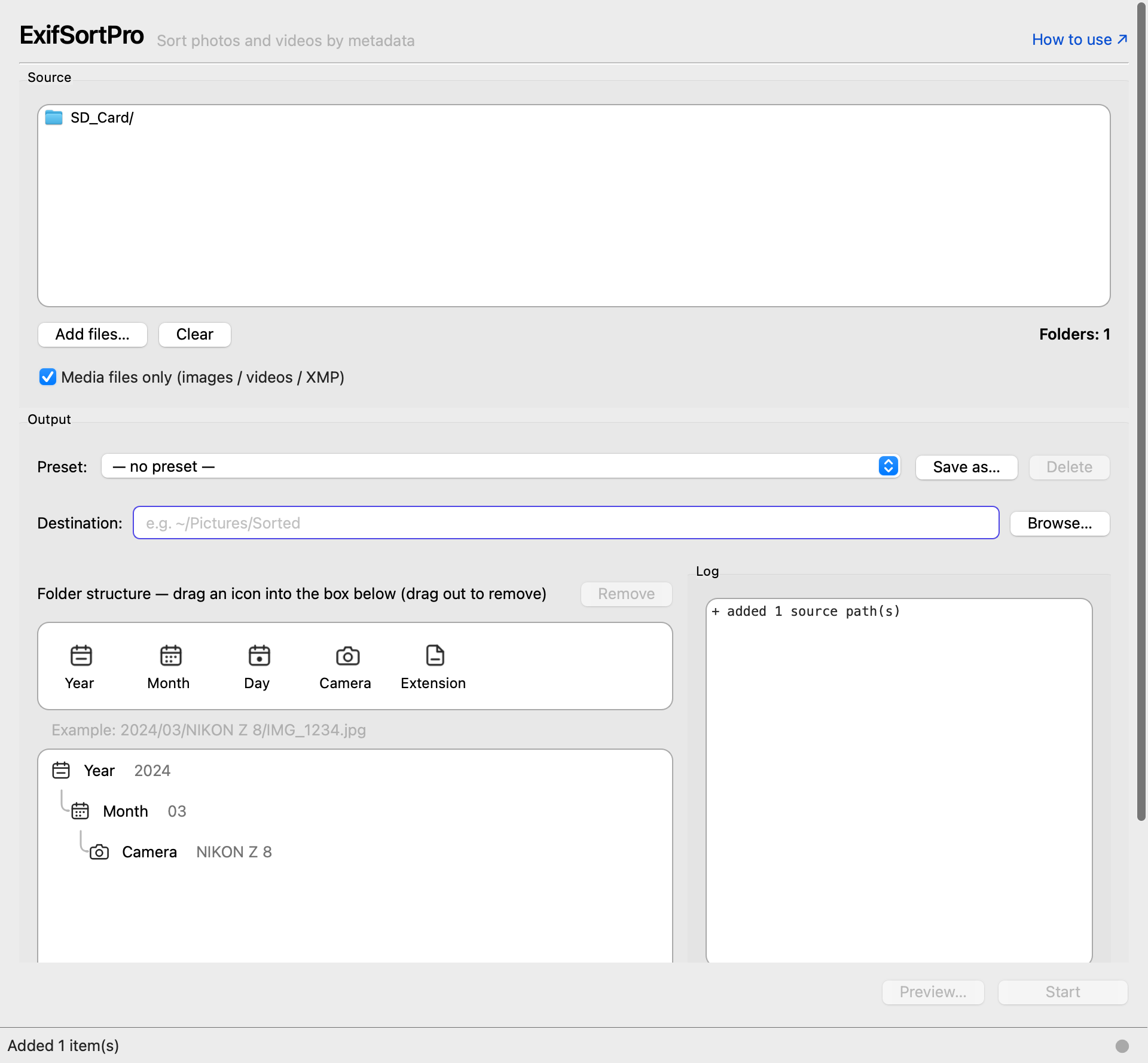
See exactly where every file will be copied — before anything happens. If it's not what you want, tweak the rule and preview again.
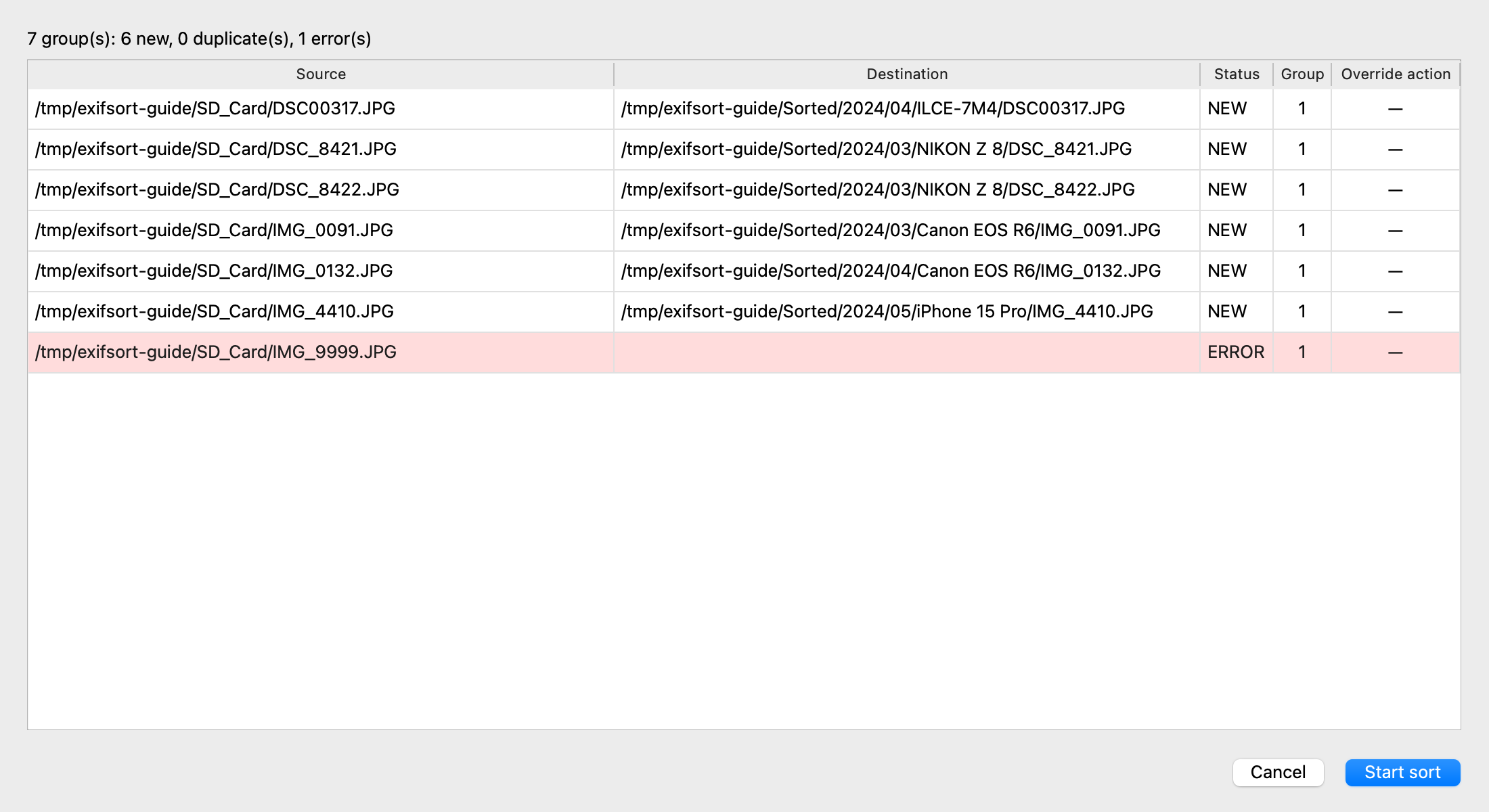
Your originals stay put. Only fresh, organized copies land at your chosen destination. Nothing is moved, renamed, or deleted.
Not happy with the result? Roll every action back with one click. Originals are never touched, so there's nothing to lose. Try free first, buy only if it fits.
No. ExifSortPro only copies. Originals stay exactly where they are. If you don't like the result, delete the destination folder and you're back to square one. A dedicated undo also rolls every action back at once.
Yes. .mov, .mp4, .m4v and more — plus RAW video from cinema cameras (BRAW, R3D, N-RAW, Canon Cinema RAW Light, ARRIRAW) and formats used by GoPro, DJI, Insta360.
Yes. Designed for parallel processing. A SQLite-backed cache makes subsequent runs even faster.
Full refund within 14 days if the app does not run correctly on your Mac, or differs from what this site describes. You can try it for free before buying, so please check it against your own photos first.
All v1.x updates are free. Major version policy (v2.0+) will be announced at the time.